
Abbreviation list
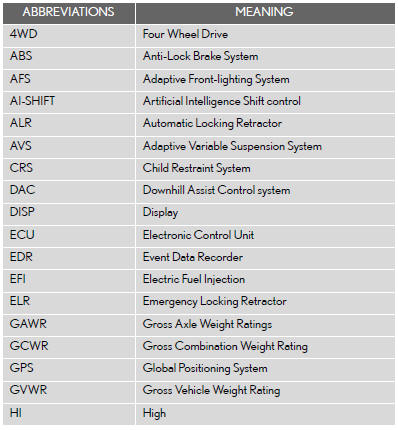
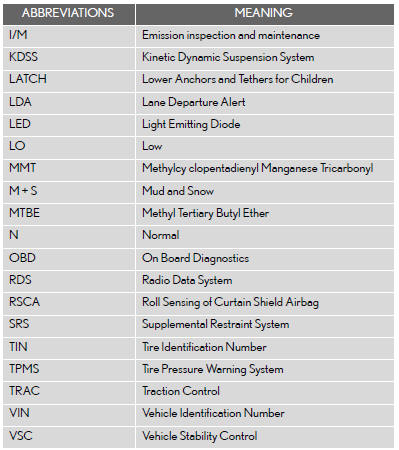
See also:
Specifications
Maintenance data (fuel, oil level, etc.)
Dimensions and weight
*1: Unladen vehicles.
*2: Vehicles without roof antenna and roof rails.
*3: Vehicles with roof antenna but without electronically m ...
General settings
Used for language selection and the on/off settings of operation sounds and
automatic screen change.
1. Push the “SETUP� button.
2. Touch “General�.
3. Touch the items to be set.
4 ...
Map database information and updates
This system uses the maps of DENSO.
2012 DENSO CORPORATION
2010 NAVTEQ. All rights reserved.
2010 Tele Atlas North America, Inc.
All rights reserved. This material is proprietary and the subject o ...