
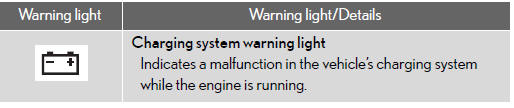
Stop the vehicle immediately.
The following warning indicates the possibility of damage to the vehicle that may lead to an accident. Immediately stop the vehicle in a safe place and contact your Lexus dealer.
See also:
Customization
Your vehicle includes a variety of electronic features that can be
personalized
to your preferences.
Programming of these preferences can be performed by your Lexus
dealer.
It is also possib ...
Reporting safety defects for U.S. owners
If you believe that your vehicle has a defect which could cause a crash or could
cause injury or death, you should immediately inform the National Highway Traffic
Safety Administration (NHTSA) in ...
If you have a flat tire
Remove the flat tire and replace it with the spare provided.
- Before jacking up the vehicle
• Stop the vehicle on a hard, flat surface.
• Set the parking brake.
• Shift the shift leve ...