
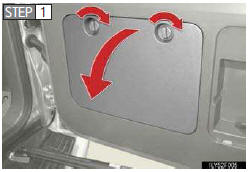
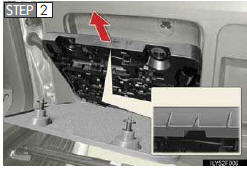
Taking out the tool box
Remove the cover.
Take out the tool box.
See also:
Displaying the Bluetooth® device address and name
Select “Device Name� using the “TUNE/SEL�
knob.
Turn the “TUNE/SEL� knob to display
the Bluetooth® device address and name.
Select “Go Back� using the “TUNE/SEL�
knob t ...
Replacing a flat tire
Chock the tires.
Pry off the wheel ornament, using the beveled end of the wheel orna- ment remover
as shown.
Slightly loosen the wheel nuts (one turn).
Assembling the jack handle.
Remove ...
Operating the system using voice commands
By following voice guidance instructions output from the speaker, voice commands
enable to the operation of the Bluetooth® audio system with- out the need to check
the display or operate the “T ...