
Micro dust and pollen filter mode button
Operates micro dust and pollen fil- ter on/off.
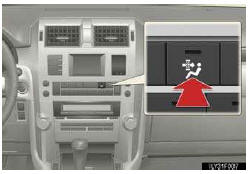
Outside air mode switches to  (recirculated
air) mode. Pol- len is removed from the air and the air flows to the upper part
of the body.
(recirculated
air) mode. Pol- len is removed from the air and the air flows to the upper part
of the body.
Usually the system will turn off automatically after approximately 3 minutes.
See also:
Reporting safety defects for U.S. owners
If you believe that your vehicle has a defect which could cause a crash
or could cause injury or death, you should immediately inform the
National Highway Traffic Safety Administration (NHTSA) in ad ...
If the engine will not start
If the engine will not start even though correct starting procedures are being
followed , consider each of the following points:
One of the following may be the cause of the problem:
• There may ...
Inside rear view mirror
In automatic mode, sensors are used to detect the headlights of vehicles behind
and the reflected light is automatically reduced.
Without compass
1. Turns automatic mode on
2. Turns automatic ...