
Adjusting the settings manually
- Adjusting the temperature setting
Press “ � on the “TEMP� button to increase
the temperature and “
� on the “TEMP� button to increase
the temperature and “ � to decrease the
temperature.
� to decrease the
temperature.
- Changing the air outlets
Press the air outlet selector button.
The air outlets used are switched each time either side of the button is pressed. The air flow shown on the display indicates the following:
Air flows to the upper body.

Air flows to the upper body and feet.
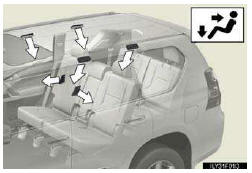
Air flows to the feet.

- Adjusting the fan speed
Press “ � (increase) or “
 �
(decrease) on
�
(decrease) on  .
.
Pressing  turns off the fan.
See also:
Regulations on the use of tire chains
Regulations regarding the use of tire chains vary depending on location and type
of road. Always check local regulations before installing chains.
Tire chain installation
Observe the following pre ...
Light bulbs
You may replace the following bulbs yourself. The difficulty level of
replacement varies depending on the bulb. If necessary bulb
replacement seems difficult to perform, contact your Lexus dealer.
...
Help icon
When appears on the screen, an
explanation of the function can be displayed.
1. Touch .
2. Touch the button of the desired function.
...