
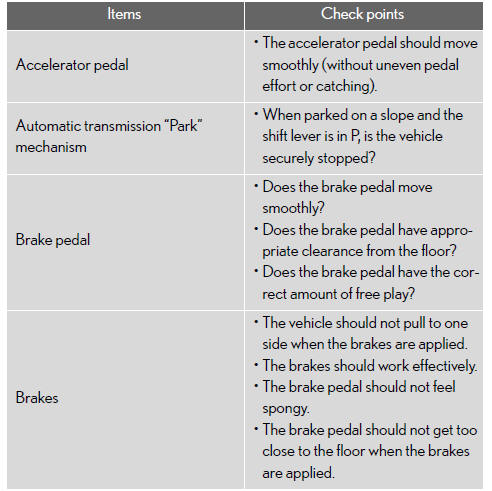
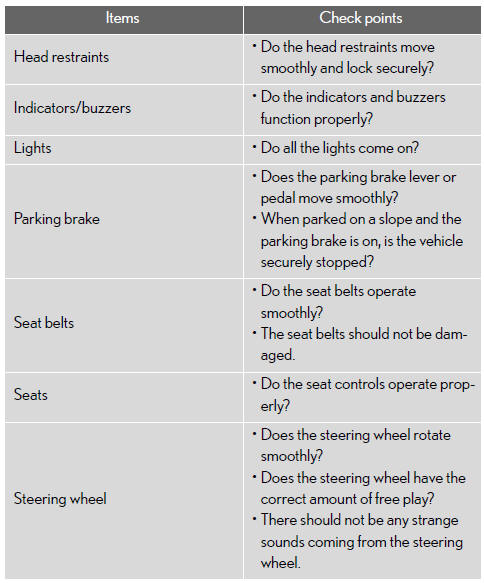
Vehicle interior
Lexus GX / Lexus GX Owners Manual / Maintenance and care / Maintenance / General maintenance / Vehicle interior
See also:
Deleting speed dials
Select “Delete Speed Dial (Del Spd
Dial)� using a voice com- mand or the “TUNE/SEL� knob.
Press the preset button to which
the desired speed dial is regis- tered, and select “Confirmâ ...
If your vehicle overheats
If the engine overheats:
Stop the vehicle in a safe place
and turn off the automatic air conditioning system.
Check to see if steam is coming
out from under the hood.
If you see steam:
Stop ...
What is the Dispute Settlement Program?
This program consists of local professionals who are trained and experienced
in arbitration. The arbitrator(s) appointed by NCDS will arbitrate your case by
reviewing the facts you present; having ...