
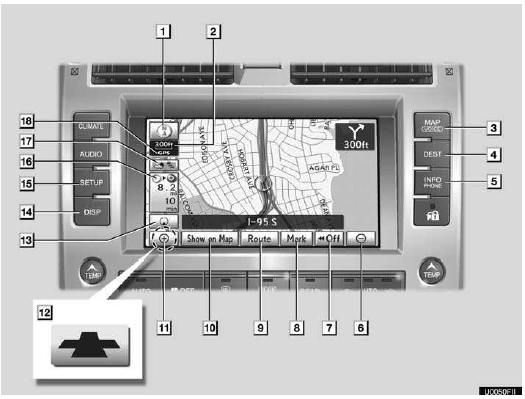
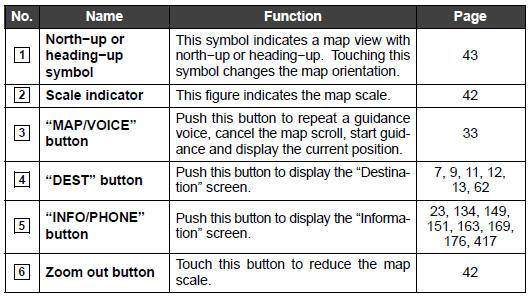
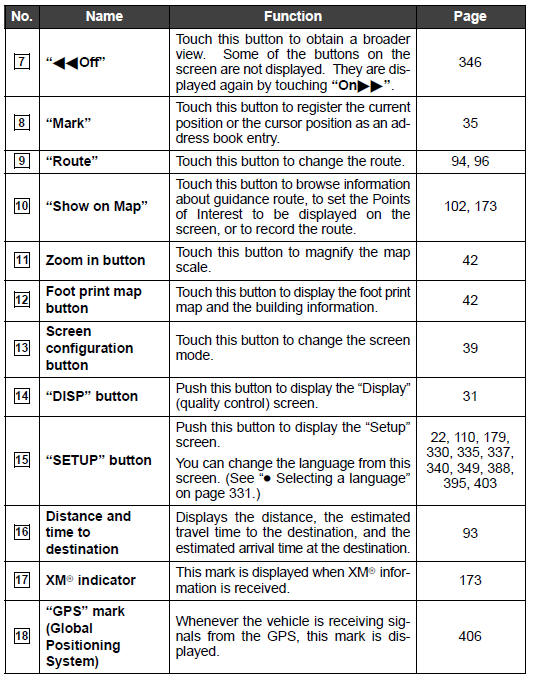
Overview buttons and guidance screen
See also:
Engine
...
Route preference
To select route type
You can designate the route conditions of the route to the destination.
1. Touch “Route�.
2. Touch “Preferences�.
3. Touch “Quick�, “Short� or “Alterna ...
Dynamic radar cruise control
Dynamic radar cruise control supplements conventional cruise control
with a vehicle-to-vehicle distance control. In vehicle-to-vehicle dis-
tance control mode, the vehicle automatically accelerates ...