
Cup holders
►Front (type A)
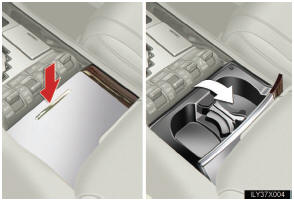
Press down and release the lid.
You can adjust or remove the separator inside.
►Front (type B)
Open the lower console box lid.
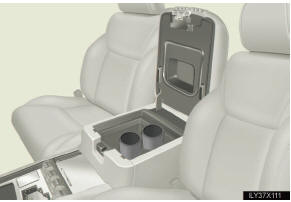
►Rear
 Pull the rear armrest down.
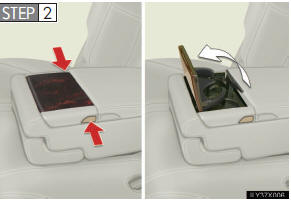
Press the button.
- Removing the holder (front cup holders type A)
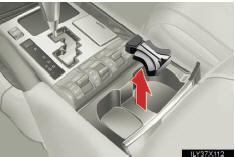
Pull up the holder.
CAUTION
- Items unsuitable for the cup holder
Do not place anything other than cups or aluminum cans in the cup holders.
Other items may be thrown out of the holders in the event of an accident or sudden braking and cause injury. If possible, cover hot drinks to prevent burns.
- When not in use
Keep the cup holders closed.
Injuries may result in the event of sudden braking, sudden swerving or an accident.
NOTICE
- To prevent damage to the cup holders
Stow the cup holders before stowing the rear armrest.
See also:
Replacement parts
To ensure optimum performance and
maintain the quality built into your
vehicle’s emission control systems,
Lexus recommends the use of
Genuine Lexus Parts when servicing
or repairing the system ...
USB memory/iPod operation
Connecting a USB memory or iPod enables you to enjoy music from the vehicle
speakers.
CAUTION
Do not operate the player’s controls or connect the USB memory or iPod while
driving.
NOTICE
Do ...
Type B: function achieved by using DCM and the Navigation system
Of the functions included with Lexus Enform with Safety Connect, Destination
Assist,
eDestination, and Lexus Insider can be achieved by making DCM cooperate with the
navigation system.
These ar ...