
Sun visors
►Main sun visor
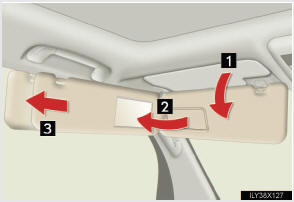
1 Forward position: Flip down.
2 Side position: Flip down, unhook, and swing to the side.
3 Side extender: Place in side position, then slide backwards.
► Sub-sun visor
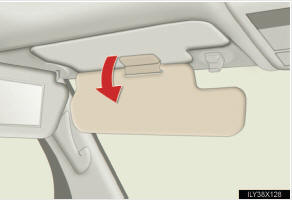
Flip down with the main sun visor in position 2 or 3.
See also:
Random playback
- Playing files from a folder in random order
Press the 1 (RAND) button.
To cancel, press the 1 (RAND) button again.
- Playing all the files from a disc in random order
Press and hold ...
Key information
Keys
Using the mechanical key
To take out the mechanical key, slide the release lever and take the key out.
After using the mechanical key, store it in the electronic key. Carry the mechanical
...
Anti-glare inside rear view mirror
In automatic mode, sensors are used to detect the headlights of vehicles
behind and automatically reduce the reflected light.
1 Turns automatic mode on
2 Turns automatic mode off
The indicator ...