
Cup holders
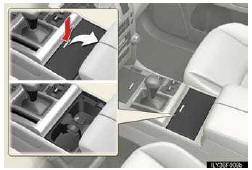
For front seats
Press down and release the cup holder lid.
You can remove the holder inside.
For second seats (vehicles without third seats)
Pull the armrest down.
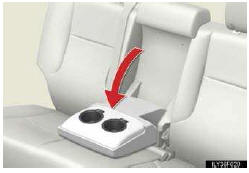
For second seats (vehicles with third seats)
Pull the armrest down and press in and release the button.
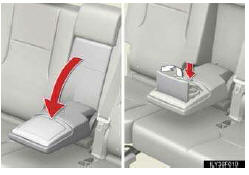
For third seats (except for left side seat of the vehicles with a DVD changer)
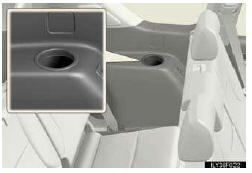
- Cup holder lights (front seats)
• The cup holder lights turn on when the tail lights are on.
• The brightness of the cup holder lights change in conjunction with the instrument cluster light.
- Cup holder insert
For front seats
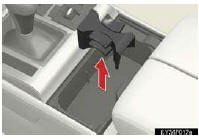
Cup holder insert may be removed for cleaning.
- Removing the adapter
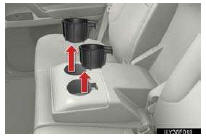
For second seats (vehicles without third seats)
Pull up the adapter.
CAUTION
- Items unsuitable for the cup holder
Do not place anything other than cups, mugs or beverage cans in the cup holders.
Other items may be thrown out of the holders in the event of sudden braking, sudden swerving or an accident, cause injury. If possible, cover hot drinks to prevent burns.
- When not in use
Keep the cup holders closed. In the event of sudden braking or sudden swerving, an accident may occur due to an occupant being struck by the open cup holders or the items stored inside.
NOTICE
- To prevent damage to the rear cup holders (for second seats [vehicles with third seat])
Stow the cup holders before stowing the armrest.
See also:
Wireless remote control
The wireless remote control can be used to lock and unlock the vehicle.
1. Locks all the doors
2. Unlocks all the doors
Pressing the button unlocks the driver’s door. Pressing the but- ton again ...
If a warning message is displayed
If a warning is shown on the instrument cluster, stay calm and perform the
following actions:
1. Master warning light
The master warning light also comes on or flashes in order to indicate that ...
Assist grip
An assist grip (Type A) installed at the ceiling can be used to support
your body while sitting on the seat.
An assist grip (Type B) installed at the pillar can be used when getting
on or off the ...