
Phonebook
INFORMATION
Phonebook data is managed for every registered phone. When another phone is connecting, you can not read the registered data.
“Phonebook� is accessed from the “Phonebook Settings� screen.
1. Push the “SETUP� button.
2. Touch “Phone�.
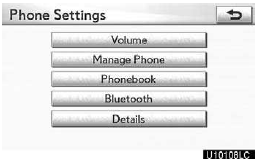
3. Touch “Phonebook�.
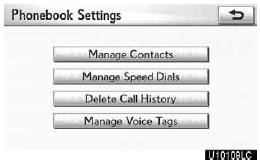
Please do each setting from this screen.
See also:
Inputting letters and numbers/list screen operation
When searching for an address or
name, or entering data, letters and num-
bers can be input via the screen.
• Keyboard layout can be changed.
TO INPUT LETTERS AND
NUMBERS
1 Touch “A-Z� to ...
Selecting, fast-forwarding, reversing and scanning tracks
- Selecting a track
Press “� to move up or “�
to move down using the “SEEK•TRACK� button until the desired track number is displayed.
- Fast-forwarding and reversing trac ...
Navigation settings
Points or areas on the map can be registered.
The registered points can be used on the “Destination� screen. (See “— Destination
search by Home� on page 64, “— Destination search by P ...