
Speed dials setting
“Speed dials setting� is accessed from the “Speed Dials� screen.
1. Push the “SETUP� button.
2. Touch “Phone�.
3. Touch “Phonebook�.
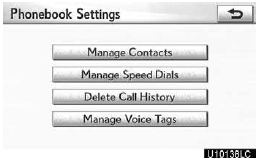
4. Touch “Manage Speed Dials�.
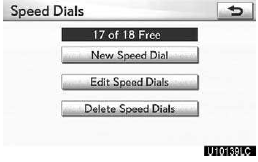
Please refer to the following pages for each setting.
You can also display the “Speed Dials� screen in the following way.
1. Push the “INFO/PHONE� button.
2. Touch “Phone�.
3. Touch “Speed Dials�.
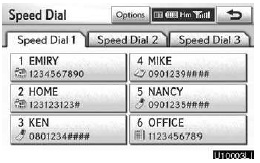
4. Touch “Options�.
Registering the speed dial
You can register the desired phone number from phonebook. Up to 18 numbers per phone can be registered.
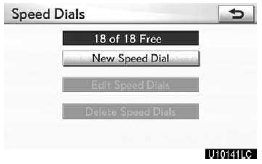
1. Touch “New Speed Dial�.
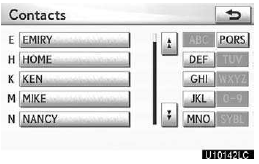
2. Select the data you want to register.
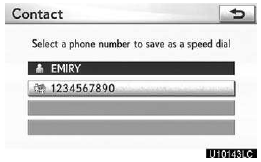
3. Touch the desired phone number.
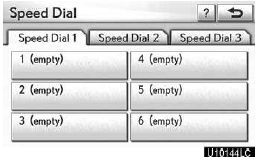
4. Touch the touch−screen button you want to register in.
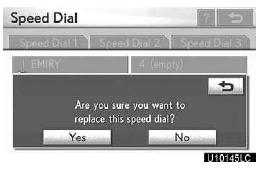
5. If you select a touch−screen button you registered before, this screen is displayed.
Touch “Yes� if you want to replace it.
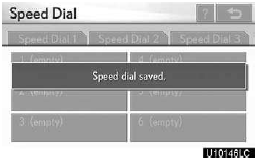
6. When this screen is displayed, the operation is complete.
You can also register the speed dial in the following ways.
From “Speed Dial� screen
1. Push the “INFO/PHONE� button.
2. Touch “Phone�.
3. Touch “Speed Dials�.
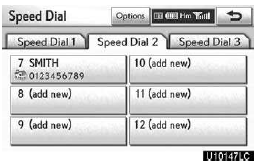
4. Touch “(add new)�.
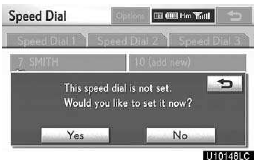
5. Touch “Yes� to set new speed dial.
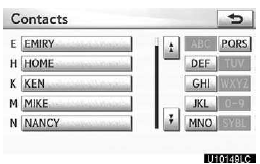
6. Select the data you want to register.
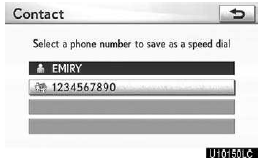
7. Touch the desired phone number.
From “Contact Data� screen
1. Push the “INFO/PHONE� button.
2. Touch “Phone�.
3. Touch “Contacts�.
4. Select the desired data from the list.
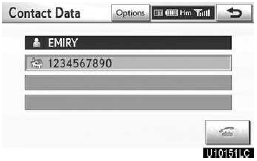
5. Touch “Options�.
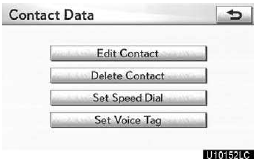
6. Touch “Set Speed Dial�.
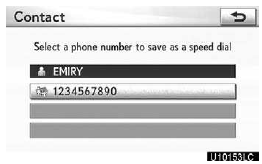
7. This screen is displayed.
The following operations are the same as the operation when you operate it from the “SETUP� button.
Editing the speed dial
You can edit the speed dial.
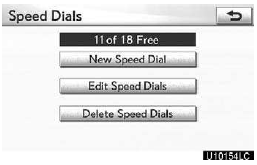
1. Touch “Edit Speed Dials�.
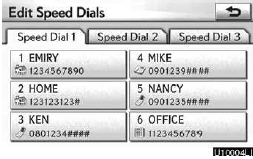
2. Touch the touch−screen button you want to edit.
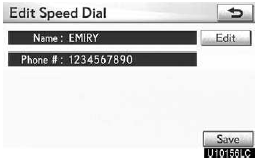
3. Touch “Edit�.
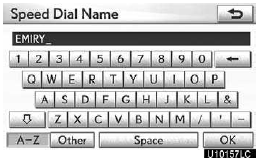
4. Use the software keyboard to input the name.
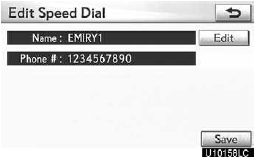
5. Touch “Save�.
Deleting the speed dial
You can delete the speed dial.
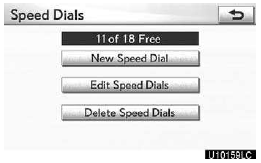
1. Touch “Delete Speed Dials�.
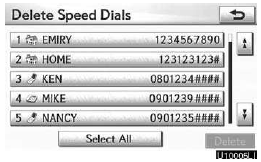
2. Select the desired data or touch “Select All�, then touch “Delete�.
You can select multiple data and delete them at the same time.
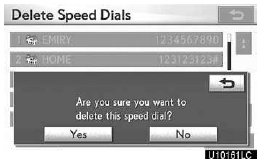
3. Touch “Yes�.
See also:
Orientation of the map
The orientation of the map can be changed from North−up to Heading−up by touching
the orientation symbol at the top left of the screen.
Touch or
.
North−up screen
Headin ...
Headlight cleaner switch
Washer fluid can be sprayed on the headlights.
Press the switch to clean the headlights.
The headlight cleaners can be operated when
The “ENGINE START STOP� switch is in IGNITION ON mode and ...
Map screen operation
CURRENT POSITION DISPLAY
When starting the navigation system,
the current position is displayed first.
This screen displays the current position
and a map of the surrounding area.
• The cur ...