
Alarm
The system sounds the alarm and flashes the lights when forced entry is detected.
Triggering of the alarm
The alarm is triggered in the following situations when the alarm is set:
• A locked door or glass hatch is unlocked or opened in any way other than using the entry function, wireless remote control or mechanical key. (The doors will lock again automatically.) • The hood is opened.
Setting the alarm system
Vehicles without a navigation system
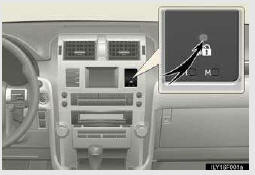
Close the doors, glass hatch and hood, and lock all the doors.
The system will be set automatically after 30 seconds.
The indicator light changes from being on to flashing when the system is set.
Vehicles with a navigation system
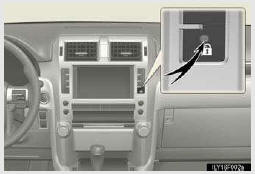
Close the doors, glass hatch and hood, and lock all the doors.
The system will be set automatically after 30 seconds.
The indicator light changes from being on to flashing when the system is set.
Deactivating or stopping the alarm
Do one of the following to deactivate or stop the alarms:
• Unlock the doors.
• Start the engine. (The alarm will be deactivated or stopped after a few seconds.)
System maintenance
The vehicle has a maintenance-free type alarm system.
Items to check before locking the vehicle
To prevent unexpected triggering of the alarm and vehicle theft, make sure of the following:
• Nobody is in the vehicle.
• The windows and moon roof are closed before the alarm is set.
• No valuables or other personal items are left in the vehicle.
Triggering of the alarm
The alarm may be triggered in the following situations:
(Stopping the alarm deactivates the alarm system.)
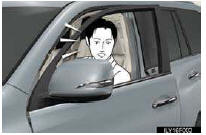
• A person inside the vehicle opens a door or hood.
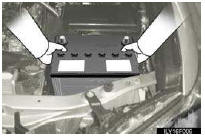
• The battery is recharged or replaced when the vehicle is locked.
Alarm-operated door lock
• When the alarm is operating, the doors are locked automatically to prevent intruders.
• Do not leave the key inside the vehicle when the alarm is operating, and make sure the key is not inside the vehicle when recharging or replacing the battery
Alarm memory function
After the alarm is activated, when you unlock any door using a entry function, wireless remote control or mechanical key, the tail lights turn on for about 2 seconds to inform you that the system was activated
NOTICE
To ensure the system operates correctly
Do not modify or remove the system. If modified or removed, the proper operation of the system cannot be guaranteed.
See also:
Defogging the windshield
Defogging
The air intake is automatically switched to
(outside air) mode. It is not possible
to recircu- lated air mode when the switch is on.
The air conditioning system oper- ates automaticall ...
Route guidance screen
During route guidance, various types of guidance screens can be displayed depending
on conditions.
Screen layout
1.Distance to the next turn and the arrow indicating turning direction
2. Curren ...
Power steering fluid
- Fluid level
The fluid level should be within the appropriate range.
1. Full (when cold)
2. Add fluid (when cold)
3. Full (when hot)
4. Add fluid (when hot)
Hot: The vehicles has been d ...