
Have the malfunction repaired immediately.
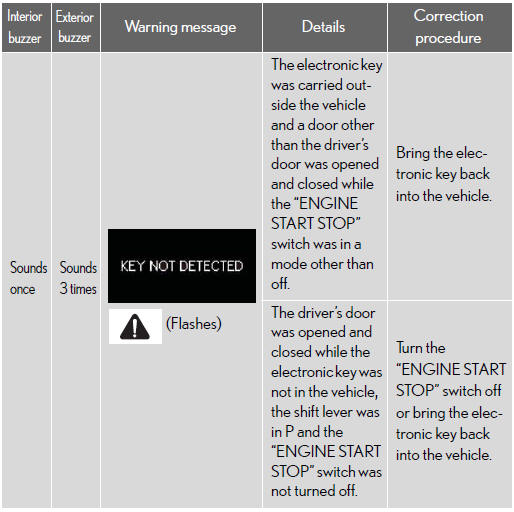
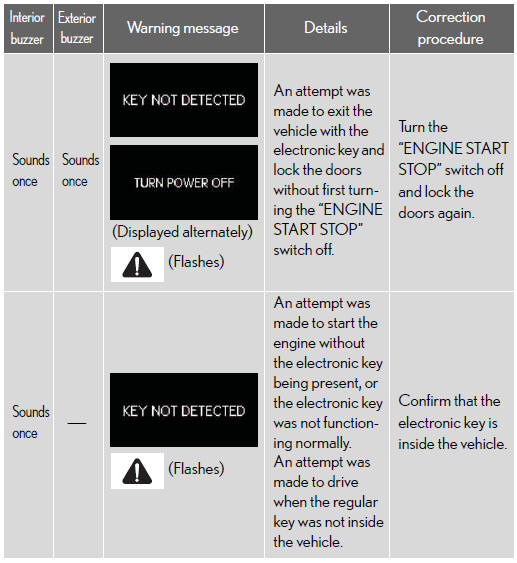
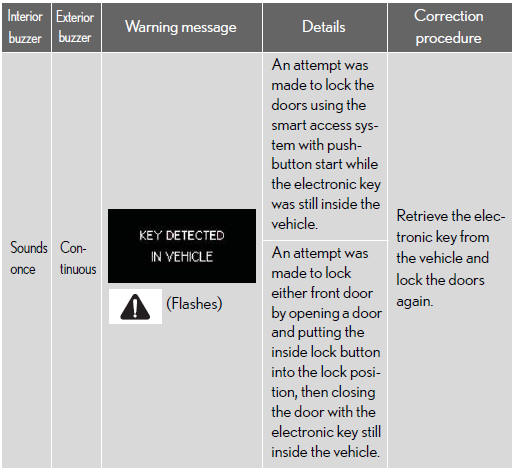
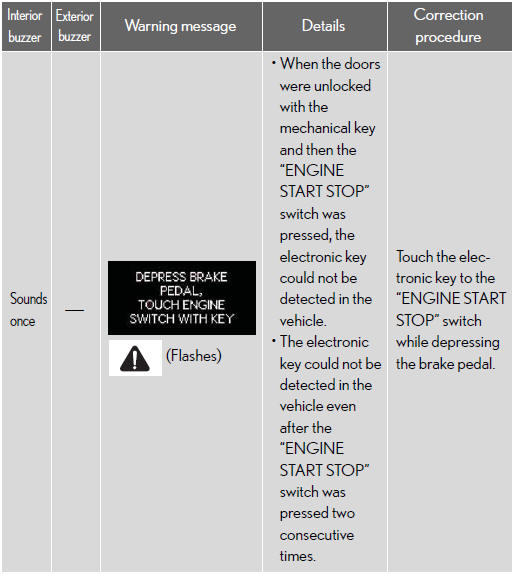
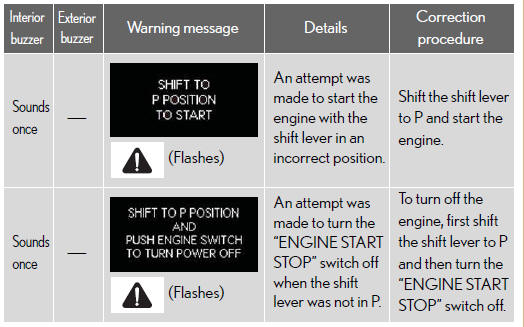
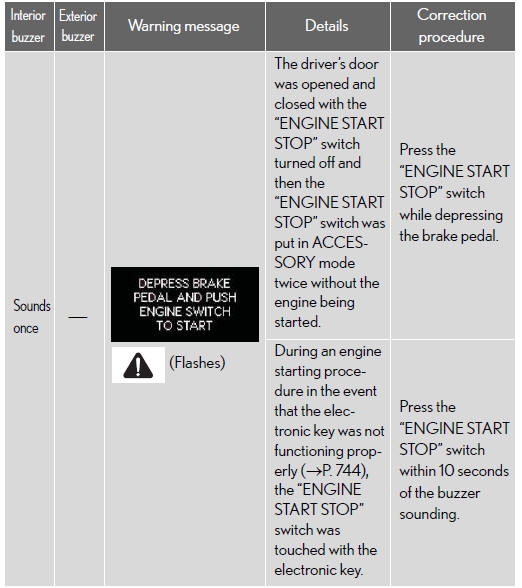
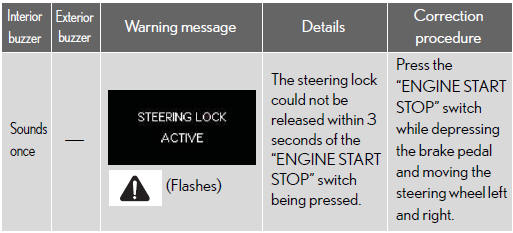
After taking the specified steps to correct the suspected problem, check that the warning message and light go off.



See also:
Automatic transmission
Select a shift position appropriate for the driving conditions.
Shifting the shift lever
While the “ENGINE START STOP� switch is in IGNITION ON mode, move the shift lever
with the brake peda ...
Talk on the Bluetooth phone
While you are talking on the phone, this screen is displayed. You can do the
operation below on the screen.
To adjust the volume of the other party’s voice:
Touch “–� or “+� or use t ...
Services Provided
• Roadside services such as battery jump-start, tire change, fuel delivery, vehicle
extrication and towing in case of minor accident.
• Towing to the nearest Lexus dealership (or an alternate r ...