
Foot print map
For the area which is covered by the foot print map (Some areas in the following cities: Detroit, Chicago, N.Y., L.A), you can switch to the foot print map on a scale of 75 feet (25 m).
To switch to the foot print map
 changes into
 when the map is scaled down to 150
feet (50 m).
when the map is scaled down to 150
feet (50 m).
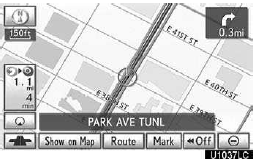
To display the foot print map, touch
 .
.
To delete the foot print map display, touch
 .
.
INFORMATION
If the map or the current position is moved to the area which is not covered by the foot print map, the screen scale automatically changes to 150 feet (50 m).
On the foot print map, a one way street is displayed by
 .
.
It is not possible to perform scrolling on the foot print map while driving.
Building footprints in the database were created and provided by MAPMASTER.
To display building informati
Information is available only for buildings for which information is recorded on the map data.
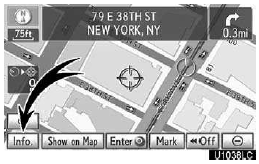
Touch “Info.� while the foot print map is displayed.
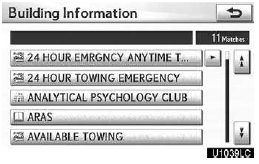
Details of POIs in some buildings may be displayed.
For detailed POI information, touch the building name. You can see details of the selected POIs.
See also:
Smart Access System with Push-button Start
The smart access system with push-button start allows you to enter and exit
the vehicle
or start the engine by simply carrying the electronic key in your pocket or bag.
For details on starting t ...
Replacing a flat tire
Chock the tires.
Pry off the wheel ornament, using the beveled end of the wheel orna- ment remover
as shown.
Slightly loosen the wheel nuts (one turn).
Assembling the jack handle.
Remove ...
Body Repairs
If you’re involved in a collision, you
want your vehicle to be returned to
its pre-accident condition when
repaired. That’s why it is important to
make sure repairs are made only with
Genuine ...