
Unlocking and locking the doors
► Side door handle
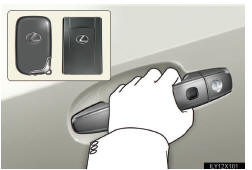
Grip the driver’s door handle to unlock the door. Grip the pas- senger’s door handle to unlock all the doors.* Make sure to touch the sensor othe back of the handle.
The door cannot be unlocked for 3 seconds after the door is locked.
*: The door unlock settings can be changed.
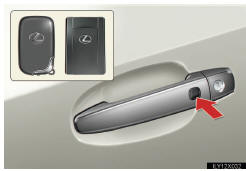
Press the lock buttoto lock the doors.
Pressing and holding the button closes the windows and moon roof. (This setting must be cus- tomized at your Lexus dealer.)
►Back door
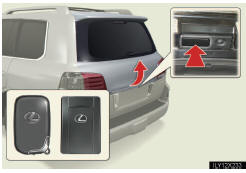
Press the unlock buttoto unlock the doors.
The door cannot be unlocked for 3 seconds after the door is locked.
Lock the back door agaiwhen you leave the vehicle. The back door will not lock automatically after it has beeopened and theclosed.
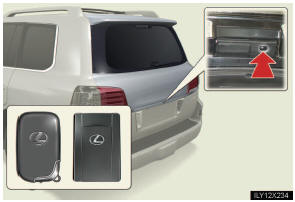
Press the lock buttoto lock the doors.
See also:
Removing a child restraint installed with a seat belt
Push the buckle release button and fully retract the seat belt.
...
Shuffle playback
- Playing songs from one playlist or album in random order
Press the 1 (RAND) button.
To cancel, press the 1 (RAND) button again.
- Playing songs from all the playlists or albums in ran ...
Display
Wide view front monitor
The image from the front camera is displayed. Use this monitor to help check
the area in front of the vehicle for safety, for example in intersec- tions with
poor visibili ...