
Smart access system with push-buttostart
The following operations cabe performed simply by carrying the electronic key oyour person, for example iyour pocket.
(The driver should always carry the electronic key.)
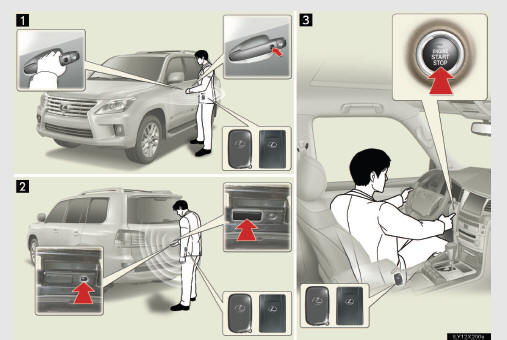
1 Locks and unlocks the doors
2 Locks and unlocks the doors
3 Starts and stops the engine
See also:
Setting the voice tag
“Setting the voice tag� is done by displaying “Voice Tags� screen.
1. Push the “SETUP� button.
2. Touch “Phone�.
3. Touch “Phonebook�.
4. Touch “Manage Voice Tags�.
Pl ...
Selecting vehicle height
Operating the switch changes vehicle rear height as follows:
1. Higher
2. Lower
Vehicle height can be adjusted only when the engine is running.
The selected height mode will be shown on the rear ...
Services Provided
• Roadside services such as battery jump-start, tire change, fuel delivery, vehicle
extrication and towing in case of minor accident.
• Towing to the nearest Lexus dealership (or an alternate r ...