
Using the radio
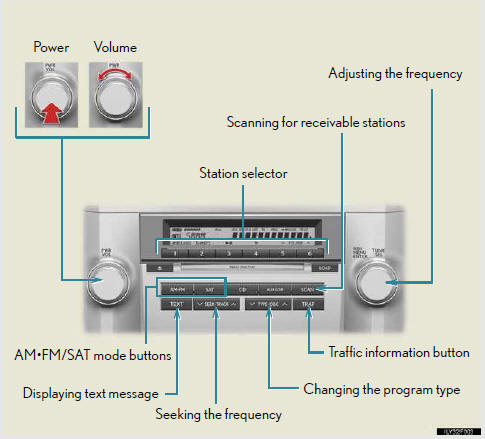
- Setting station presets (excluding XM® Satellite Radio)
- Scanning radio stations (excluding XM® Satellite Radio)
- RDS (Radio Data System)
- XM® Satellite Radio (if equipped)
See also:
Luggage compartment features
- Cargo hooks
Cargo hooks are provided for
securing loose items.
- Cargo net hooks
To hang the cargo net, use the
cargo net hooks and rear
cargo hooks.
The cargo net itself is not
includ ...
Selecting and scanning files
- Selecting a file
Turn the “TUNE/SEL� knob or press “�
or “� on the “SEEK•TRACK� button to select
the desired file.
- Scanning the files in a folder
Press the “ ...
Adjusting the settings manually
- Adjusting the temperature setting
Press “� on the “TEMP� button to increase
the temperature and “� to decrease the
temperature.
- Changing the air outlets
Press the ai ...