
Bottle holders/door pockets
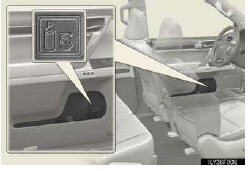
Front
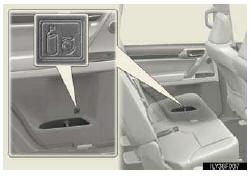
Rear
- When using the holder as a bottle holder
• When storing a bottle, close the cap.
• The bottle may not be stored depending on its size or shape.
NOTICE
- Items that should not be stowed in the bottle holders
Do not place open bottles in the bottle holders, or glasses and paper cups containing liquid. The contents may spill and glasses may break.
See also:
Engine compartment
1 Power steering fluid reser-
voir
2 Engine oil level dipstick
3 Engine oil filler cap
4 Brake fluid reservoir
5 Fuse box
6 Washer fluid tank
7 Battery
8 Cooling fans
9 Condenser
10 Radia ...
Repeat play
Press the 2 (RPT) button.
To cancel, press the 2 (RPT) button again. ...
Using the steering wheel audio switches
Some audio features can be controlled using the switches on the steering wheel.
1, Increases/decreases volume
2, Radio mode: Selects a radio station
CD mode: Selects a track, file (MP3 and WMA) a ...