
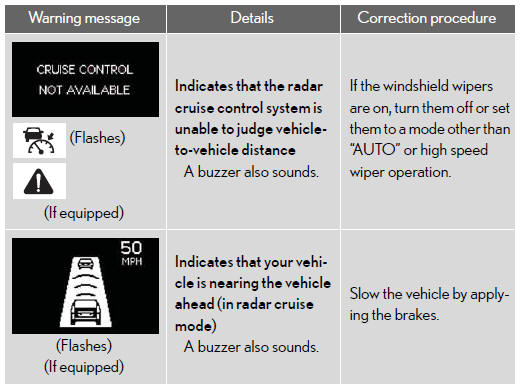
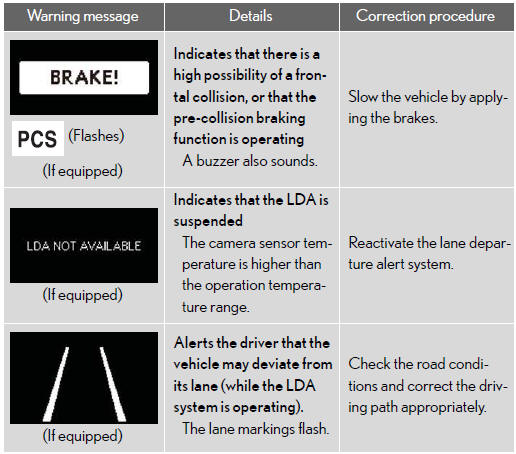
Follow the correction procedures.
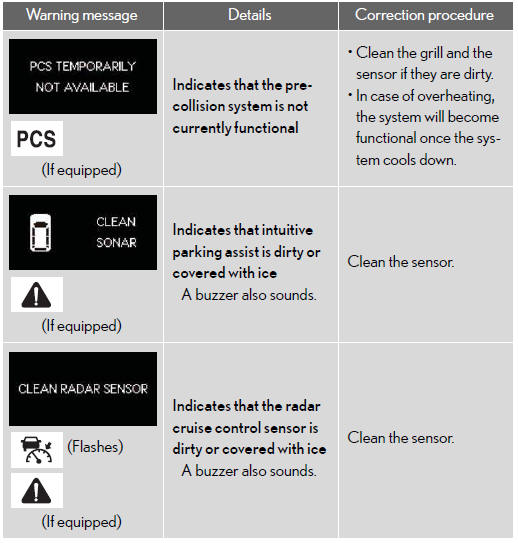
A buzzer sounds and a warning message is shown on the multi-informa- tion display. After taking the specified steps to correct the suspected problem, check that the warning message goes off.
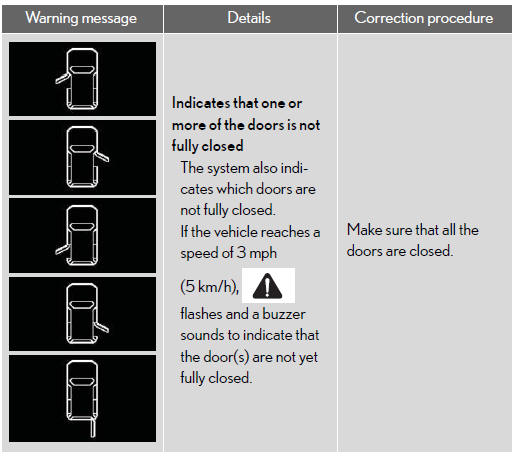
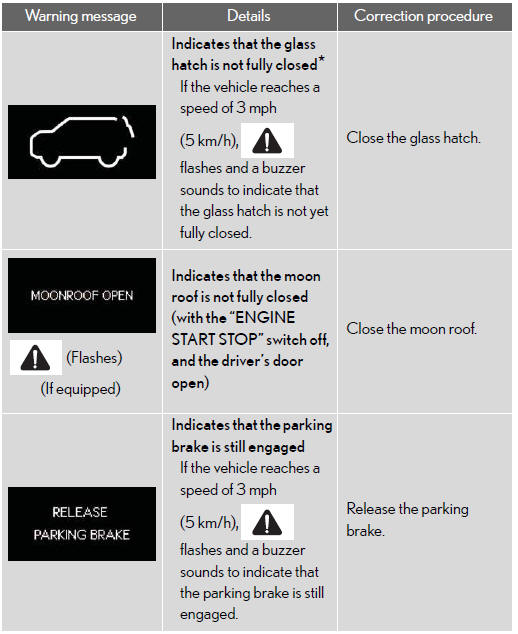
*: The graphic is shown on the Rear height control air suspension display.
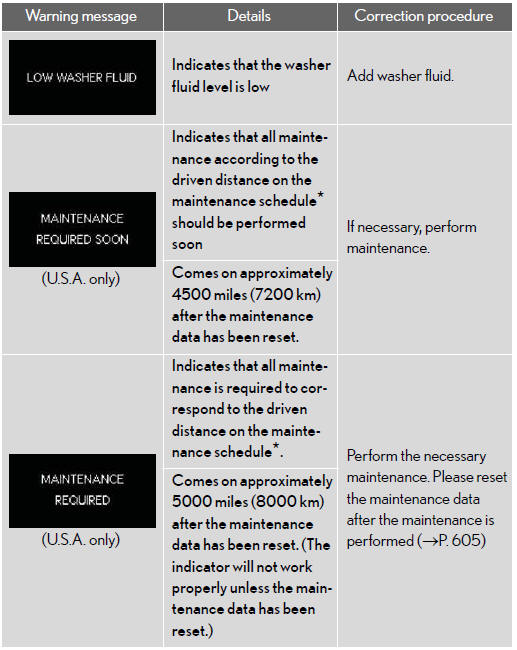
*: Refer to the separate “Scheduled maintenance� or “Owner’s Manual Supple- ment� for the maintenance interval applicable to your vehicle.
See also:
Instrument cluster
Gauges and meters
1. Hybrid System Indicator.
Displays hybrid system output or regeneration level.
2. Multi-information display.
3. Speedometer.
Displays the vehicle speed.
4. Fuel gauge.
Dis ...
Changing the passkey
Select “Set Passkey� using a voice
command or the “TUNE/SEL� knob.
Pattern A
Press the talk switch, say a 4 to
8-digit number, and select “Con- firmâ€� using a voice command or the â ...
Vehicle customization
Vehicle settings can be changed.
1. Push the “SETUP� button.
2. Touch “Vehicle� on the “Setup� screen.
3. Touch “Vehicle Customization�.
4. Select the setting to be changed.
V ...