
Smart access system with push-button start
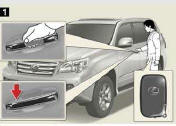
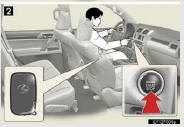
The following operations can be performed simply by carrying the electronic key on your person, for example in your pocket.
(The driver should always carry the electronic key.)
1. Locks and unlocks the doors
2. Starts the engine
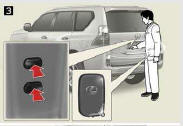
3. Locks and unlocks the back door
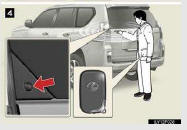
4. Opens the glass hatch
- Unlocking and locking the doors (front door handles only)
- Unlocking and locking the back door
- Opening the glass hatch
- Antenna location and effective range
See also:
If your vehicle overheats
If the engine overheats:
Stop the vehicle in a safe place
and turn off the automatic air conditioning system.
Check to see if steam is coming
out from under the hood.
If you see steam:
Stop ...
Open source license
This product uses the following open
source software.
· T-Kernel
This Product uses the Source Code of
T-Kernel under T-License granted by
the T-Engine Forum
(www.t-engine.org).
· C Library
...
Safety Connect services
- Automatic Collision Notification
In case of either airbag deployment or severe rear-end collision, the system
is designed to automatically call the response center. The responding agent rec ...