
Operation flow: guiding the route
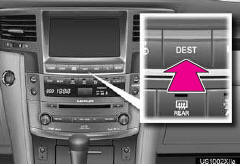
1 Press the “DEST� button.
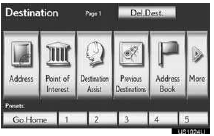
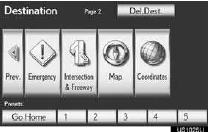
2 here are 11 different methods to search destinations.
►Page 1
►Page 2
3 Touch “Go to  �.
�.
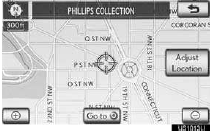
The navigation system performs a search for the route.
4 Touch “OK�, and start driving.
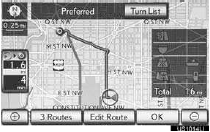
Routes other than the one recommended can also be selected. Guidance to the destination is displayed on the screen and can be heard via voice guidance.
See also:
Checking and replacing fuses
If any of the electrical components do not operate, a fuse may have
blown. If this happens, check and replace the fuses as necessary.
Turn the “ENGINE START STOP�
switch OFF.
The fuses are lo ...
Cup holders
For front seats
Press down and release the cup holder lid.
You can remove the holder inside.
For second seats (vehicles without third seats)
Pull the armrest down.
For second seats (vehicles ...
Safety information
Correct driving posture
Drive in a good posture as follows:
1. Sit upright and well back in
the seat.
2. Adjust the position of the seat
forward or backward to
ensure the pedals can be
reache ...